For many families across Pakistan, financial assistance programs are not just helpful—they are essential. With rising living costs, even basic expenses like food, education, and healthcare have become difficult to manage for low-income households.
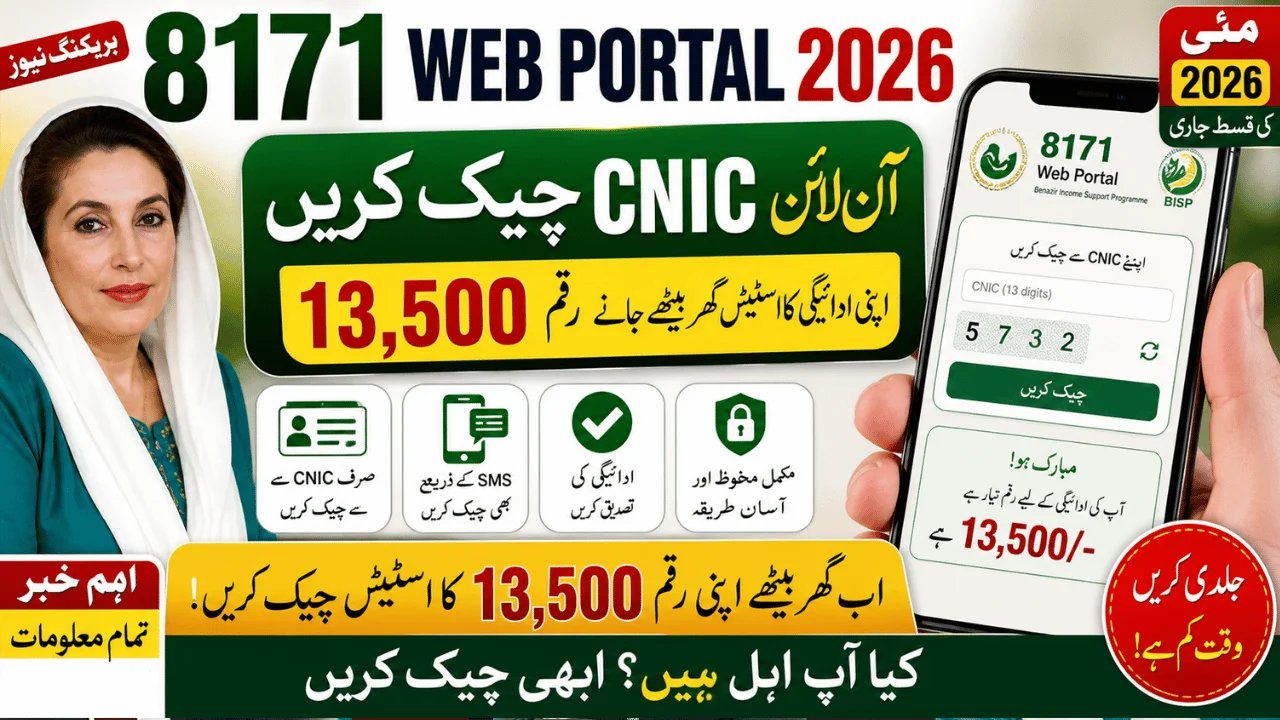
This is where the 8171 Web Portal 2026 plays a critical role. It allows eligible individuals to check their Rs. 13,500 payment status online using their CNIC, without needing to visit offices or wait in long queues.
However, many people still face confusion:
- “Why is my status not showing?”
- “Do I need to register online?”
- “Why am I marked ineligible?”
This guide answers these real questions with clear, practical explanations so you can understand the system and avoid common mistakes.
What is the 8171 Web Portal and Why It Matters
The 8171 portal is a government-backed digital system under the Benazir Income Support Programme (BISP). It helps beneficiaries:
- Check eligibility status
- Confirm payment availability
- View registration details
Instead of visiting multiple offices, users can now access this information from home using their CNIC.
👉 Real benefit: Saves time, reduces travel costs, and improves transparency.
Who Receives the Rs. 13,500 Payment in 2026?
The payment is part of the Kafaalat Program, designed for vulnerable groups such as:
- Low-income households
- Widows
- Persons with disabilities
- Families registered in NSER
Key Payment Details
| Detail | Information |
|---|---|
| Amount | Rs. 13,500 |
| Type | Quarterly financial assistance |
| System | BISP Kafaalat |
| Verification | Biometric (thumb verification) |
👉 This support is meant to help families manage essential expenses.
How to Check 8171 CNIC Status Online (Step-by-Step)
Checking your payment status is simple if you follow the correct process.
Step 1: Visit the Official Portal
Open the official 8171 web portal in your browser.
Step 2: Enter Your CNIC
- Type your 13-digit CNIC number
- Do not use dashes or spaces
Step 3: Enter Captcha Code
Fill in the security code shown on screen.
Step 4: Submit Information
Click the submit or check button.
Step 5: View Your Status
You will see one of the following:
- Eligible
- Ineligible
- Under verification
- Payment ready
👉 Tip: If the page doesn’t load, try again during non-peak hours.
Alternative Method: Check Status via SMS
If you don’t have internet access, use SMS:
- Open your mobile messages
- Type your CNIC number
- Send to 8171
You will receive a reply with your status.
👉 This method is useful in rural areas with limited internet access.
Understanding Eligibility (How System Decides)
Many people assume eligibility is random—but it is not.
The government uses the NSER (National Socio-Economic Registry) system, which evaluates:
- Household income
- Family size
- Living conditions
- Assets owned
This is calculated using a Poverty Means Test (PMT) score.
👉 Lower score = Higher chances of eligibility
Why Your Status Might Show “Not Eligible”
This is one of the most common concerns. Here are real reasons:
1. Outdated NSER Data
If your data is old, the system may reject your eligibility.
2. Income Increase
If your financial condition has improved, you may no longer qualify.
3. Incomplete Survey
Missing or incorrect data can lead to rejection.
4. Data Mismatch
CNIC or family details not matching official records.
What to Do If Your Status is Not Found or Pending
If your result shows:

- “Not Found”
- “Under Verification”
👉 You should:
- Visit nearest BISP office
- Complete NSER Dynamic Survey
- Update your information
Biometric Verification – Why It’s Important
Even if you are eligible, you must verify your identity before receiving payment.
Where Verification Happens
- Bank ATMs
- BISP payment centers
Common Issue
Thumb verification failure
Solution
- Visit NADRA to update fingerprints
- Request manual verification at BISP office
Common Mistakes People Make
Avoid these to prevent delays:
❌ Entering incorrect CNIC
❌ Relying on agents or middlemen
❌ Paying fees (all services are free)
❌ Ignoring survey updates
👉 Always use official channels only.
Online vs SMS Check – Which is Better?
| Method | Best For | Speed |
|---|---|---|
| Web Portal | Detailed information | Fast |
| SMS (8171) | No internet users | Moderate |
👉 Use web portal if possible — it gives more details.
Practical Tips for Beneficiaries
- Always keep your CNIC updated
- Save your registered mobile number
- Check status regularly before visiting center
- Avoid peak hours to reduce waiting time
FAQs – Real Questions People Ask
1. Is the 8171 web portal free to use?
Yes, completely free. You should never pay anyone for checking your status.
2. Can I register online for BISP?
No. Registration is done through the NSER survey at official centers.

3. How often is the payment given?
Payments are usually distributed quarterly.
4. What if I don’t receive SMS response?
Try again or use the web portal instead.
5. Can someone else collect my payment?
No, biometric verification is required for the registered person.
6. What should I do if fingerprint verification fails?
Visit NADRA to update fingerprints or request manual verification.
Final Thoughts
The 8171 Web Portal 2026 CNIC check system has made it much easier for families to access financial assistance information without unnecessary hassle.
But understanding how the system works is key.
If you:
- Keep your data updated
- Use official channels
- Follow correct steps
👉 You can avoid delays and ensure smooth access to your Rs. 13,500 payment.
This program is more than just financial aid—it is a support system for millions of families, helping them manage everyday life with dignity.